A free online booking system
with your own
booking page
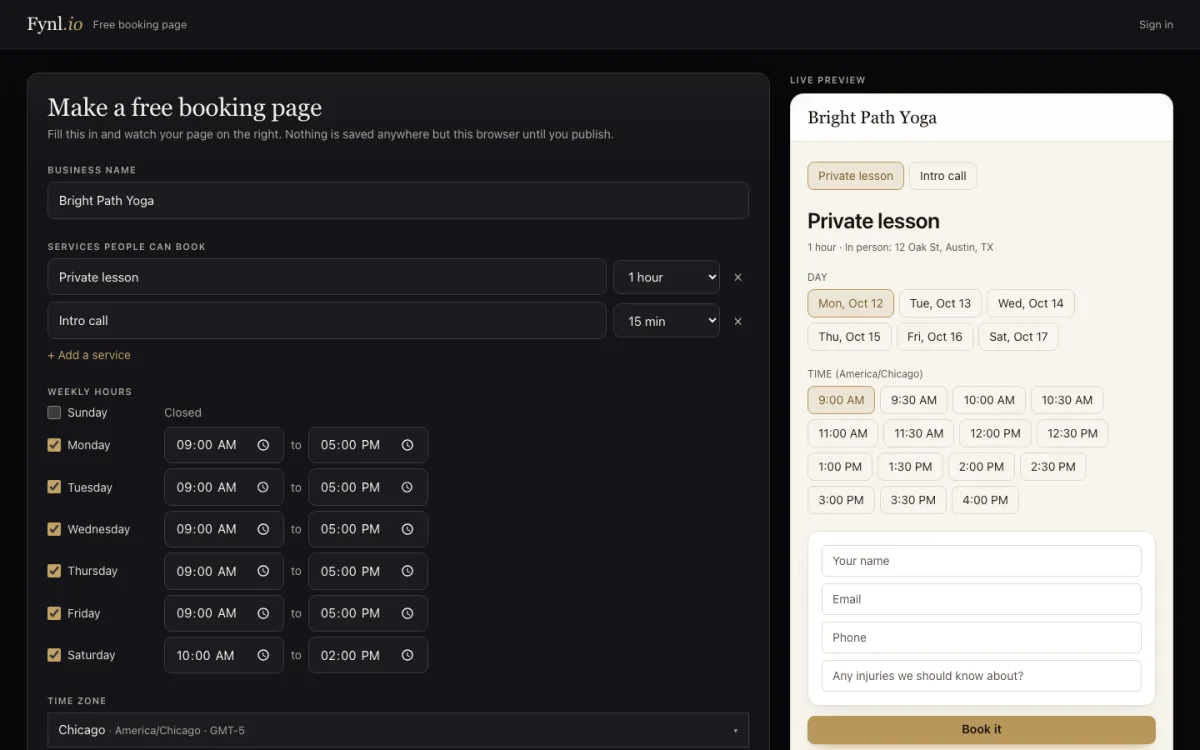
Type your services, tick the days you work and set the hours — the booking page updates next to you as you go. It all stays in your browser until you press Publish, and then you have one link to share.
Watch how it works
Set up a free booking page, publish it with your email, and see every booking in your free account.
1:19 · narrated, with on-screen captions
What you get on the free plan
The same booking calendar our paying customers use, with three paid extras switched off.
- Up to 3 services — each with its own length, from 15 minutes to 4 hours, so a client can pick a quick call or a full session.
- Your real hours — weekly hours per day, days off and changed hours on single dates, a break between bookings, and how much notice you need.
- Your time zone — times show in your zone, and visitors elsewhere can switch them to their own.
- Your questions — name, email and phone are always asked; add up to five more and mark which are required.
- Phone, in person or video — say where the appointment happens: your number, an address or a meeting link.
- Reschedule and cancel online — the confirmation page lets people move or cancel without calling you.
- Every booking in one place — the calendar, dashboard and notification bell in your free account, plus a link and embed code for your website.
Three steps, one link
Set it up
Add your business name and services, tick your days, set the hours and pick your time zone.
Check the preview
The live preview shows the days and times people will see, with your questions underneath.
Publish it
Give your name and email. The link we send puts the page live and opens your free account with its link and embed code.
Free or paid — what changes
| Free | Starter, $49/month | |
|---|---|---|
| Services (booking calendars) | 3 | No limit |
| Bookings | 50 a month | No limit |
| Confirmation and reminder emails | — (on-screen confirmation with Add to calendar) | Yes, from your own Gmail |
| Deposits when people book | — | Yes, on your own Stripe |
| “Made with Fynl” link on the page | Yes | No |
| CRM, quotes, invoices, inbox, website | — | Yes |
Honest about emails
The free plan sends no emails, to you or to the people who book. They get a clear confirmation on screen with Add to Google Calendar and Apple / Outlook buttons, and a page to reschedule or cancel. You see each booking in your account and its bell. If you want automatic confirmations and reminders — the easiest way to cut no-shows — that is what the paid plan adds, sent from your own Gmail.
One free account for every free tool
If you already use the free form builder, publishing a booking page with the same email adds it to that account. Upgrading keeps your login, your page and your bookings.
Before you publish
Is the booking page really free?
Yes. The free plan has 3 services and 50 bookings a month, with no card and no time limit. Free booking pages show a small “Made with Fynl” link at the bottom.
Do I need an account to set it up?
No. You set up your services, hours and questions in your browser and watch the live preview. When you press Publish you give your name and email, and we email you a link that puts the page live and opens your free account.
Will the people who book get a confirmation email?
Not on the free plan, which sends no emails. After booking they see a confirmation on screen with Add to Google Calendar and Apple or Outlook buttons, and a page they can come back to to reschedule or cancel. Confirmation and reminder emails from your own Gmail come with a paid plan.
How do I know when someone books?
Every booking appears on the calendar in your free account, on your dashboard and under the notification bell, with the answers to your questions.
Can people reschedule or cancel?
Yes. The confirmation page has Reschedule and Cancel buttons, and you can set how close to the appointment that is still allowed.
Can I put the booking page on my website?
Yes. Share the link anywhere, or copy the embed code for each service and paste it into your website.
Which time zone do people see?
Times are shown in your business time zone, and visitors in another zone can switch the times to their own with one tick box.
What happens after 50 bookings in a month?
The page stops taking online bookings until the next month starts and asks visitors to contact you directly. Upgrading removes the limit straight away and keeps your login, page and bookings.
Your booking page, live in a few minutes
Services, hours and questions — free, with nothing to install. When you want reminders and deposits, Starter adds them for $49 a month.
Make a booking page free See pricing